LED module panel: specs buyers must check
If you're sourcing an led module panel for a display build, the module-level specs decide resolution, serviceability and spare-parts strategy. This guide covers what to verify before you order.
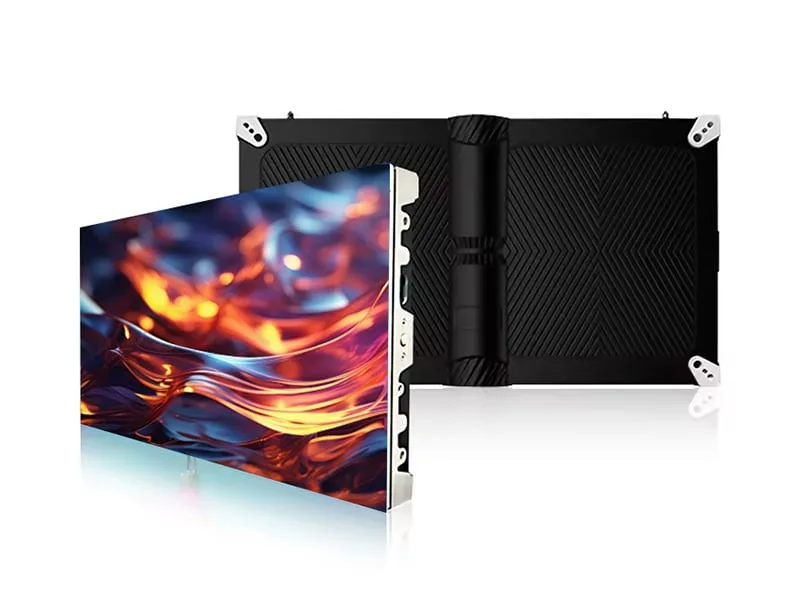
If you're sourcing an led module panel for a display build, the module-level specs decide resolution, serviceability and spare-parts strategy. This guide covers what to verify before you order. We're Hopestar, an OEM/ODM display hardware manufacturer. We make LED displays and Android tablets. We don't make control software, content platforms or media players. That distinction matters when you're comparing suppliers, because some of them bundle software and some don't. Here, we'll stay on the hardware side.
What an LED module panel is and where it sits in a display
An LED module panel is the smallest replaceable light-emitting unit in a display. It tiles into a cabinet. The cabinet tiles into the full screen. You'll see three levels in every project: module, cabinet, full screen. Each has its own specs. Pixel pitch belongs to the module, but it also defines the screen's resolution once you know the cabinet count. Cabinet size sets how many modules fit and how the screen divides. Serviceability depends on module removal: can you pull one module without disturbing its neighbors? That's a mechanical question, and it's decided at the module level.
Buyers who mix up these levels get surprised later. A spec sheet that says "P3.91, 500x500 cabinet" tells you the pitch and the cabinet size, but not the module size. You need the module size to plan spare parts. If the module is 250x250 mm, a 500x500 cabinet holds four. If it's 500x250, it holds two. The pixel count per module changes too. So when you compare suppliers, ask for the module drawing, not just the cabinet drawing.
Module anatomy: LED lamp, driver IC, PCB and mask
Inside a module you'll find LED lamps, driver ICs, a PCB, a front mask, a rear structure, and power and data connectors. The lamp package type matters. DIP lamps are through-hole and typically used in larger pitches. SMD lamps are surface-mount and cover a wide pitch range. GOB adds a glue layer over the PCB for protection. COB bonds chips directly to the board. Each type implies different protection and repairability. A DIP lamp can be replaced individually. An SMD lamp usually means replacing the module or reworking the board. COB is harder to repair at the lamp level.
Driver IC choice affects color consistency and refresh. A constant-current driver keeps brightness stable across a row. If the driver IC changes between batches, you may see color shifts. Ask for the driver IC part number and whether it's locked for the project. The mask affects contrast. A black mask reduces glare and improves color blending. The black area between pixels is a real factor: enhancing fill factor can decrease black area, improve color-blending quality and reduce glare. That's a module-level design choice.
Module specs that decide the build: pitch, scan mode, hub interface
Pixel pitch is the center-to-center distance between adjacent pixels, measured in millimeters. A smaller pitch places pixels closer together, increasing pixel density and allowing the image to resolve at a shorter viewing distance. A larger pitch can work well when viewers are farther away and the content is designed for distance. A common planning rule is that optimal viewing distance in feet is roughly 10 times the pixel pitch in millimeters, though some sources use a different multiplier. For example, one industry guideline suggests 10 times, while another cites a rule of roughly three times. The point is: pitch is a module-level number, and it drives your viewing-distance plan.
Scan mode is an electrical choice. It defines how many rows are lit at once. A 1/8 scan module lights one-eighth of the rows per cycle. Higher scan counts can improve refresh but demand more from the driver ICs. The receiving card must match the scan mode. If you swap a 1/8 scan module for a 1/16 scan module without changing the card settings, you'll get flicker or partial rows. Refresh rate is also module-level. Our indoor and outdoor series list refresh from 1920 to 3840 Hz. That's a range, not a single value. Confirm the actual refresh at the pitch you're buying.
The hub interface is the data connector on the module. It has a pinout, and that pinout must match the receiving card. There's no universal standard across all brands. Some use a 16-pin hub, some use a 20-pin. The data connector on the module must match the card's output. If you're replacing modules in an existing cabinet, you need the old module's hub pinout. A module from one family won't necessarily fit another family's cabinet. We'll say that again: we don't claim universal cross-brand compatibility. You have to check.
Indoor, outdoor, rental, transparent and flexible module families
Brightness, IP grade and cabinet size differ by family. Indoor modules typically run 800 to 1,200 nits in our line. For most indoor systems, 400 to 700 nits provides a balance between clarity and energy efficiency, according to AVIXA. Outdoor modules run higher: our outdoor series lists 5,000 to 7,500 nits depending on pitch. Outdoor rental modules carry IP65; indoor rental carries IP30. Transparent modules have a different structure, with pitches from P2.6-5.2 up to P10.416. Flexible modules are soft boards, 240x120 mm, with pitches from P1.875 to P4.
Module sizes vary. Our outdoor 960x960 mm cabinet can be built from 320x320 mm modules, 240x240 mm modules, or conventional sizes. The indoor series uses cabinets like 512x512, 960x960 and 500x500 mm. Rental cabinets are 500x500x85 or 500x1000x85 mm. Transparent cabinets are 1,000x500 or 1,000x1,000 mm. Floor cabinets are 500x500 or 500x1000 mm. Don't assume a module from one family fits another family's cabinet. The mounting holes, thickness and connector positions can differ.
Compatibility checks before you order modules
Mechanical check first. Get the module drawing. Measure the mounting hole pattern. Check module thickness. Check whether the module fixes with magnets or screws. If you're replacing modules in an existing cabinet, compare the old module's drawing to the new one. A 1 mm difference in hole spacing can mean the module won't sit flush.
Electrical check second. Confirm the power connector type and voltage. Confirm the data connector pinout. Confirm the receiving card protocol. If the card expects a certain scan mode and the module is different, you'll need to change card settings or the module. Ask the supplier for the pinout diagram. If they can't provide it, that's a signal.
Batch check third. Color tone and mask can vary between production batches, even from one supplier. If you're buying modules for an existing screen, ask for a sample from the current batch and compare it to your installed modules. If you're buying a full screen, ask that all modules come from one batch. Here's a short checklist you can copy:
- Module drawing with hole pattern and thickness
- Hub interface pinout and connector type
- Scan mode and refresh rate at the target pitch
- Driver IC part number and lamp package type
- Batch consistency plan and sample from current batch
- Power connector type and voltage
- Receiving card compatibility statement
How to compare LED module suppliers without a price list
Ask for the module datasheet. Confirm which values are per-module, per-cabinet or per-square-meter. Many supplier pages mix these. A brightness figure might be per square meter, while power might be per cabinet. If the datasheet doesn't say, ask. A good datasheet states the unit for every number.
Ask how modules are tested before shipment. Is there an aging test? Is there environmental testing? How long? At Hopestar, every finished unit is inspected for appearance and function, using a constant temperature and humidity chamber, drop tester, vibration table and aging racks. LED screens are tested and assembled twice before shipment. We hold ISO 9001 certificate No. 12825Q21062R1S, valid to 2028-07-24, with scope covering LCD monitors, touch monitors, Android all-in-one PC and advertising machines. We don't claim certifications beyond that.
Ask what the supplier actually manufactures versus what it resells. We make hardware only. We don't make the control software, content platform or media players. If you need those, you'll source them elsewhere. We also don't publish prices. A real quote depends on the configuration: pitch, cabinet size, quantity, options. Third-party sources publish market ranges, but those are not our prices. For our LED display line, see the LED display page and the indoor LED display page.
What Hopestar makes and what we do not
Hopestar is an OEM/ODM display hardware manufacturer in Longhua, Shenzhen. We operate 4 production lines with an annual capacity of 1,000,000 units and export to 50+ countries. We supply an LED display line covering outdoor, indoor, rental, transparent, flexible and floor screens. We also make commercial Android tablets and POS terminals.
We make hardware. We don't make the control software, the content platform or the media players. We don't provide installation or field service. We don't publish prices. We don't claim universal cross-brand compatibility for modules. Our quality process is documented under quality. If you're an integrator or distributor, we can work with your brand under OEM/ODM. See OEM/ODM for scope.
What to send us for a quote
Send us the module specs you need: pixel pitch, module size, cabinet size, scan mode, hub interface, brightness target, IP grade, quantity. If you're replacing modules in an existing cabinet, send the old module drawing and the receiving card model. We'll confirm compatibility and quote. Inquiries are answered within 24 hours. Use the contact page.
Common questions
What does a LED module do?
An LED module is the smallest replaceable light-emitting unit in an LED display. It contains LED lamps, driver ICs, a PCB and connectors. Modules tile into a cabinet, and cabinets tile into a full screen. The module's pixel pitch and size help define the screen's resolution and serviceability.
What are the different types of LED modules?
Common types include DIP, SMD, GOB and COB. DIP uses through-hole lamps, often for larger pitches. SMD uses surface-mount lamps across many pitches. GOB adds a protective glue layer. COB bonds chips directly to the board. Each type affects protection, repairability and pitch range.
How do I check whether a replacement LED module is compatible with my existing cabinet?
Compare the module drawing to your cabinet: mounting hole pattern, thickness and fixing method. Check the power and data connectors, including hub pinout. Confirm scan mode and receiving card protocol. Ask the supplier for a pinout diagram and a sample from the current batch to check color tone.
What module specs should a distributor confirm before placing an OEM order?
Confirm pixel pitch, module size, cabinet size, scan mode, refresh rate, hub interface, driver IC part number, lamp package type, brightness, IP grade and power. Ask which values are per module, per cabinet or per square meter. Also confirm batch consistency and test process.
Sources
- Black area and fill factor in LED display systems | Buildings
- How to Avoid Overengineering dvLED Display Systems - rAVe [PUBS]
- LED Display Pixel Pitch Guide: How to Match Viewing Distance, Content, and Budget | Digital Signage Today
- How to Choose the Right Brightness for Indoor and Outdoor Commercial Displays | AVIXA Xchange