Smart home control panel hardware: how to choose a wall tablet
Choosing a smart home control panel means choosing the hardware that runs your control app or dashboard on the wall. We make the Android tablet hardware, not the automation platform, so this guide focuses on what the panel itself must do.
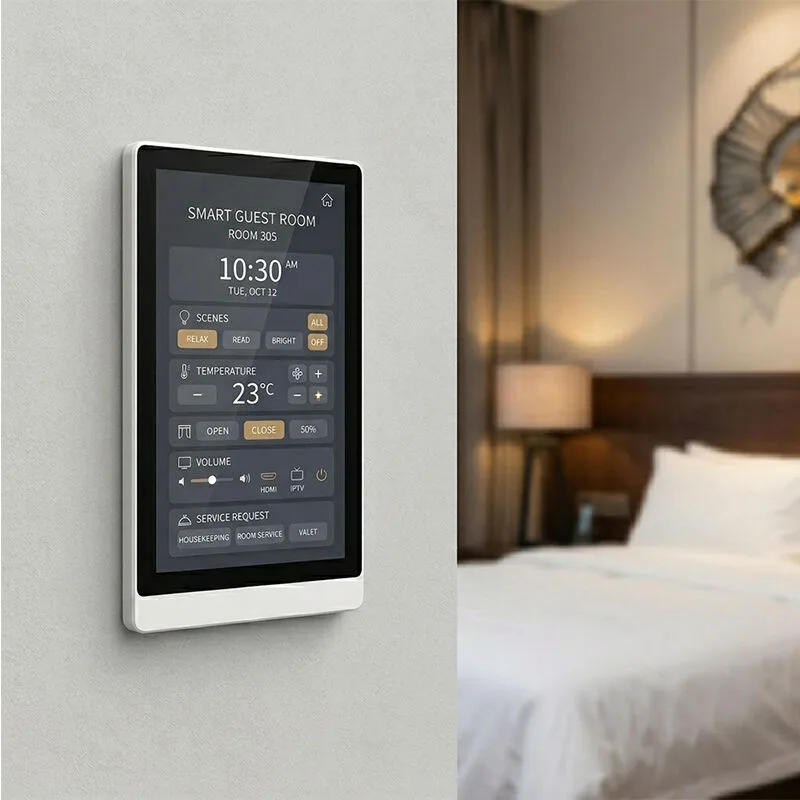
Choosing a smart home control panel is picking the hardware that runs your control app or dashboard on the wall. We build the Android tablet hardware, not the automation platform. So this guide focuses on what the panel itself must do.
What a smart home control panel actually does
A smart home control panel is a wall-mounted touch screen that runs a control app or dashboard in kiosk mode. It gives users a fixed, always-on interface for lighting, climate, security, and scenes. Unlike a phone, it stays in one place. It doesn't carry notifications or other apps unless you allow them. Android's lock task mode is the standard way to do this: the panel boots into your app, and the user can't leave it Android Developers.
The hardware is separate from the automation platform. A panel can run Home Assistant, openHAB, a commercial control system's app, or your own branded dashboard. We build the display, touch, processing, and connectivity. You bring the software. That's why hardware selection starts with what the software needs: screen size, orientation, network, and how it'll be powered.
We don't make automation hubs or protocol gateways. We make the panel. If your platform needs Zigbee, Z-Wave, or Matter radios, those live in a separate bridge or hub, not in our tablet.
Screen size, resolution, and panel form factor
Wall-mounted smart home displays come in sizes from 8 inches up to 15.6 inches and larger. 8-inch panels fit single-gang or double-gang wall boxes. They're perfect for simple lighting and scene control. Most installs use a 10.1-inch panel. It's big enough for multi-room dashboards but still fits standard wall boxes. Need something more prominent? 13.3-inch and 15.6-inch panels give you room for floor plans, camera feeds, and detailed climate controls.
Resolution matters more than raw size. A 10.1-inch panel at 1280x800 handles buttons and sliders just fine. For 13.3-inch or larger, you'll want 1920x1080 for sharp text and graphics. We list resolution per model in the spec tables. If a cell's empty, just ask.
Wall mount is the default for smart home control panels. But L-shape desktop models exist for tabletop or podium use. Handheld rugged tablets aren't wall panels. They're for mobile control or field service. Our wall mount models include the WA8058T, WA1036T, and HP1012T. Aspect ratio is usually 16:10 or 16:9. Many models support portrait orientation, and some, like the SIN-H32, are designed for portrait use. See our smart home panel page for the full range.
PoE vs DC power: what integrators need to know
Power over Ethernet is the cleanest way to power a wall-mounted panel. One cable carries data and power, so you don't need an electrician to run AC to the wall box. The original IEEE 802.3af standard delivers 15.4 watts at the source, and 802.3at (PoE+) specifies about 25.5 watts at the powered device TechTarget. Our PoE panels follow IEEE802.3at/af; check the spec table for the exact standard per model.
When does DC power make sense? If the panel will be near an outlet or if the network switch doesn't support PoE. A DC barrel jack or terminal block is simpler for some retrofit jobs, but you lose the single-cable benefit. For new construction or major renovations, PoE is usually the right call. The Brilliant PoE panel launch for professional installers shows where the market is heading CEPRO. You'll need a PoE switch or a midspan injector. Budget at least 15.4W per port for 802.3af and 30W for 802.3at; the panel's actual draw is usually lower, but the switch must be able to supply the full class power.
We don't publish per-model power draw in the spec tables, so ask us for the specific model's datasheet before you size the switch. A panel with a bright screen, camera, and NFC will draw more than a basic 8-inch display.
Wi-Fi vs Ethernet for reliable control
Ethernet's the right pick for fixed installs. It's got low latency, doesn't fight Wi-Fi interference, and if you're running PoE, it's already there. A wired connection takes one variable out of the equation for a control panel that must answer button presses instantly.
Wi-Fi is for retrofit wiggle room. Can't run a cable to the wall? A panel with Wi-Fi will still do the job. Some of our models carry both Ethernet and Wi-Fi. Need dual connectivity? Ask us which models support it. Network security: on a shared network, drop the panel on a VLAN with the automation hub. Don't expose it straight to the internet. We ship AOSP Android without Google Mobile Services by default, and you should still lock down the network.
Android version, chipset, and kiosk stability
Chipset and Android version decide how long the panel stays fast and secure. Across the line we use Rockchip chipsets: RK3288, RK3399, RK3566, RK3568, and RK3576. RK3288 is an older quad-core Cortex-A17. It's fine for basic dashboards. RK3566 and RK3568 are newer and more efficient. They support newer Android versions. RK3576 is the current high-end option. You'll find it in models like the WL1338T and WF1589T with Android 14 or 15.
Android version matters for long-term support. Many panels still run Android 8.1 and it works, but Android 11 or later gets better security patches and modern app compatibility. Lock task mode works on Android 5.0 and later, so even older versions can run kiosk mode Android Developers. But if you're deploying now, choose at least Android 11 unless you have a specific reason not to.
We offer AOSP builds without Google Mobile Services. That means no Play Store, no Google apps, no Google account requirement. You preload your own launcher and control app. Open ADB is available for development and remote debugging. Custom launchers are supported. We can set your app as the default home screen and lock it in kiosk mode.
Mounting, wall boxes, and installation hardware
Or European/Asian round or square boxes with an adapter plate. Check the model's mechanical drawing before you order. Some panels use VESA mounting, like the HP1733T with VESA 75. Flush mount is cleaner but requires a recessed box. Surface mount is easier for retrofit but sticks out from the wall.
Cable routing and strain relief are often overlooked. A PoE panel needs a low-voltage cable from the switch to the wall box; leave a service loop inside the box. If you're using DC power, you'll need a separate power supply. It may not fit in the wall box. Plan for that.
Microphone, speaker, proximity, and optional modules
A built-in mic and speaker turn the panel into an intercom or voice endpoint. Not every model has them-check the spec table. Wake on approach? A proximity sensor does that, saving power and making the panel feel snappy. NFC 13.56 MHz is a per-order option on many models. It's handy for authentication or quick pairing. RFID, barcode scanner, fingerprint, 4G, and camera? Also per-order options. If you've got a camera in there, ask for a privacy shutter.
These modules aren't free. They add cost and power draw. Only add what your software actually uses.
OEM customization for integrators and smart home brands
We're an OEM/ODM manufacturer. Most of what we ship goes out under customer brands. So, for a smart home control panel, here's what customization typically includes:
- Logo: silk print on the front, metal badge, or boot animation.
- Custom launcher and preloaded apps: your app as the default home screen, locked in kiosk mode.
- Firmware changes: custom settings, API hooks, or specific Android build options.
- Housing color: match your brand or interior design.
- Packaging: manual, color box, carton, and labels with your brand.
Hardware ships from Shenzhen under FOB, CIF, CFR, or EXW terms. Inquiries? We answer within 24 hours. For more details on our OEM process, check our OEM/ODM page.
Comparison table: wall mount vs L-shape vs handheld for smart home control
| Form factor | Best for | Power | Typical size | Example models |
|---|---|---|---|---|
| Wall mount | Fixed control point, always-on dashboard | PoE or DC | 8" to 32" | WA8058T, WA1036T, HP1012T |
| L-shape desktop | Tabletop or podium use, flexible placement | PoE or DC | 10.1" to 17.3" | WL1026T, WL1589T |
| Handheld rugged | Mobile control, field service, not wall use | DC battery | 8" | HG805G, HGN801 |
Buyer checklist for a smart home control panel
- Will the panel run your app in kiosk mode? Android lock task mode is what you need.
- Screen size and orientation should match your dashboard layout. Think through that before ordering.
- PoE (802.3af/at) or DC power? Decide what works for your install. Check the switch budget too.
- Ethernet or Wi-Fi, both work. But plan a VLAN for security, no matter which you pick.
- Android version and chipset matter for long-term stability. Go with Android 11+ and RK3566 or newer. Older stuff will bite you later.
- Mounting gets tricky fast. Check wall box type, VESA, and flush versus surface before the walls are finished.
- Microphone, speaker, proximity, NFC, or camera? Only add them if your software actually uses them. Otherwise you're paying for dead weight.
- OEM customization is where you make it yours. Logo, launcher, firmware, housing color-spec all of it.
- Ask for CE, FCC, and RoHS certificates for the specific model. Don't settle for a generic compliance sheet.
- Get a sample and test your app before any bulk order. It's the cheapest insurance you'll buy.
What to send us for a quote
Screen size, orientation, chipset, Android version. PoE or DC power, mounting style, optional modules. That's what we need to see. Don't forget OEM customizations either-logo type, launcher requirements, housing color, packaging. Tell us your target quantity, too. We'll get back within 24 hours with a spec and a quote. Use the contact page.
Common questions
What exactly is a smart home control panel?
It's a wall-mounted touch screen that runs a home automation app or dashboard in kiosk mode. Users control lighting, climate, security, and scenes from a fixed interface. The panel hardware is separate from the automation platform; it just runs the software.
What is the best smart home control panel for a wall-mounted installation?
For most installations, a 10.1-inch or 13.3-inch PoE panel with Android 11 or later and a Rockchip RK3566 or RK3568 chipset is a solid choice. Look for a model that fits standard wall boxes, has Ethernet, and supports custom launchers. Our smart home panel page lists options.
Can a smart home control panel run Home Assistant?
Yes. Home Assistant has a companion app and a web dashboard that can run on any Android panel. Use lock task mode to keep the dashboard on screen. The panel needs to be on the same network as your Home Assistant server, and you may need to sideload the app since we ship AOSP without Google Play.
What is the difference between a smart home control panel and a smart display?
A smart home control panel is a dedicated wall-mounted touch screen for home automation, usually running a single control app in kiosk mode. A smart display is a consumer device like a Google Nest Hub or Amazon Echo Show, designed for voice assistant, media, and casual smart home control. The panel is a fixed infrastructure device; the smart display is a consumer gadget.